 Plotra Docs
Sample projects
Two small finished projects to look around in, Romeo and Juliet and a tabletop campaign, each with one mistake for you to find and fix.
A sample is the quickest way to see what a full project looks like. Open one from an empty workspace, from the New project dialog, or in the cold open under "What are you making?".
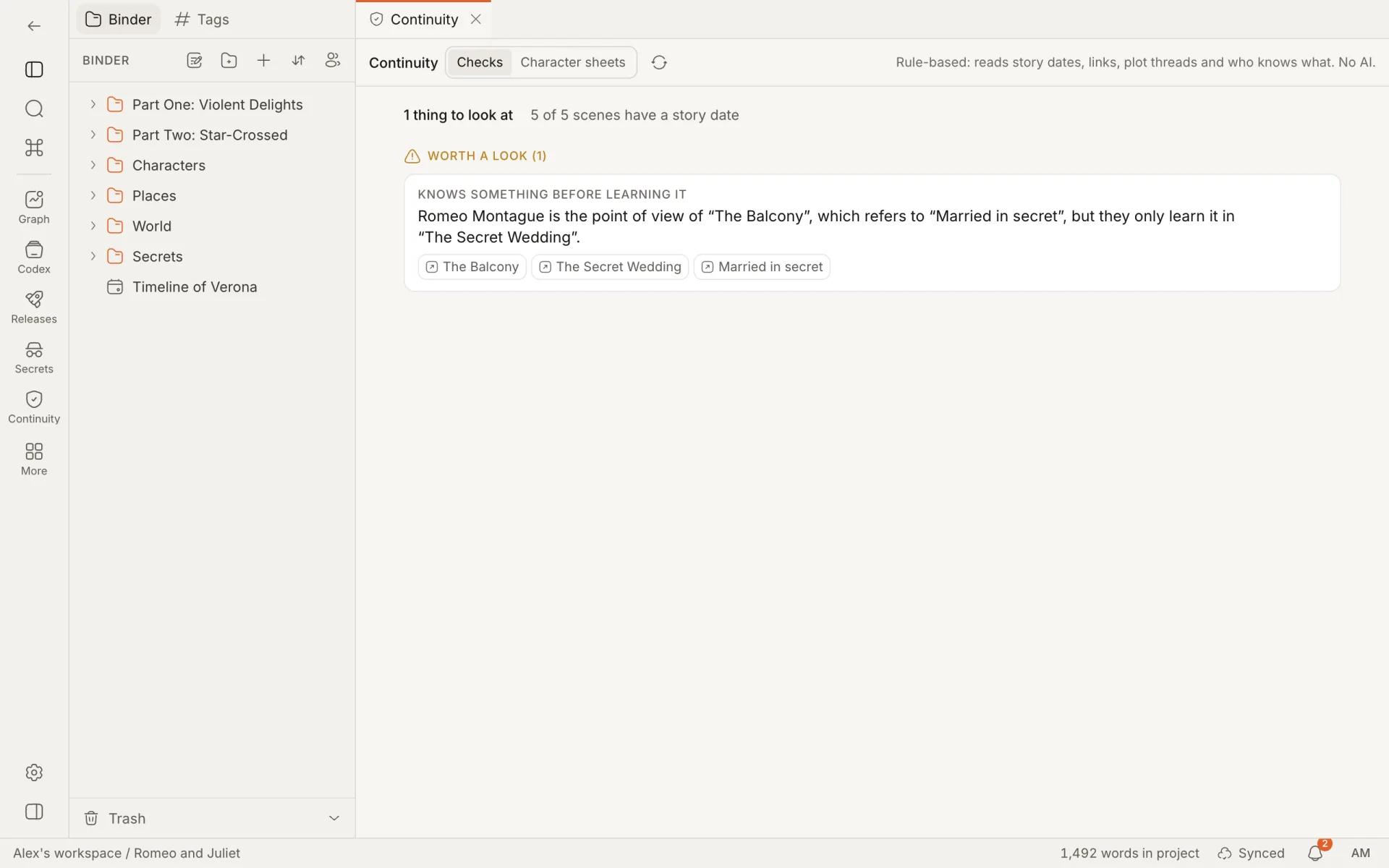
A sample is a copy of your own: edit it, break it, delete what you like inside it. It counts as one project in the workspace. Each one opens on its first scene with a checklist called Try it: fix the mistake.
| Sample | Type | What is in it |
|---|---|---|
| Romeo and Juliet | Novel | Two parts and five scenes, the people and places of Verona, two houses as world entries, a timeline, three releases, two plot threads, a relationship map, a secret marriage with who knows it, setups and payoffs. One continuity slip: in "The Balcony", Romeo thinks of himself as a husband the night before "The Secret Wedding". |
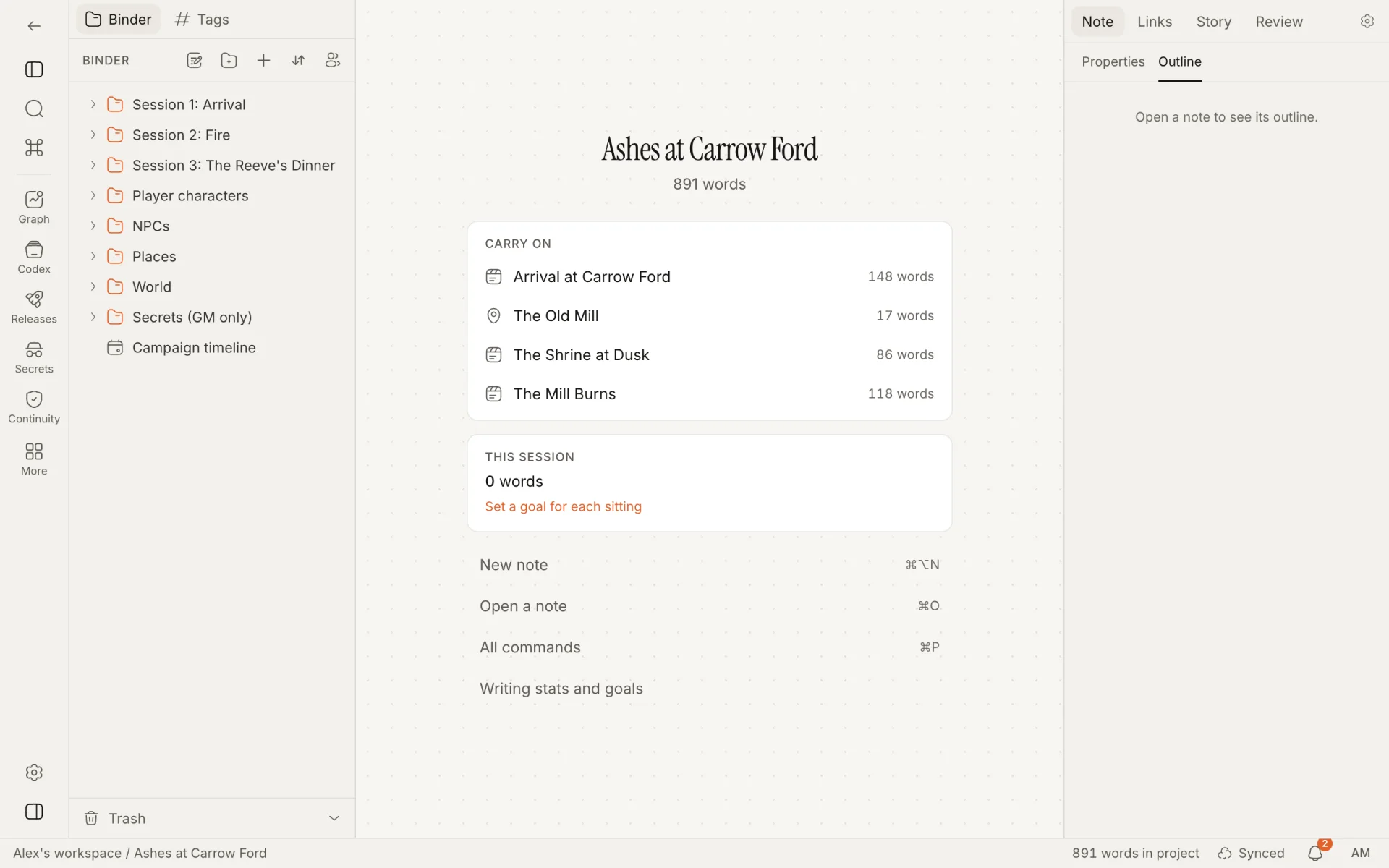
| Tabletop RPG campaign ("Ashes at Carrow Ford") | Tabletop RPG | Three sessions as releases (two played, one in prep), player characters, NPCs with notes only the game master sees, places, a "Secrets (GM only)" folder, clues and a campaign timeline. One contradiction: Old Gar dies in the mill fire in session 2, and the guest list for session 3 still seats him. |
A sample has every module its type is meant for switched on, and its ribbon starts with the world tools: Graph, Codex, Releases, Secrets and Continuity.
The try-out's five steps:
- Open Continuity and read the report.
- Go to the scene it names. Click the scene's name in the report. It opens beside the report.
- Fix the line.
- Check again. Press "Check again" in Continuity. The problem is gone.
- See the world as of an earlier release. Choose one under "World as of" in the Release roadmap. See the spoiler horizon.
How is this guide?
A tour of the screen
The five parts of a project: the ribbon, the binder, the panes, the inspector and the status bar. Plus the project home and the keys that find anything.
Who Plotra is for
A route through Plotra for each kind of person who uses it: what it does for you, how to set it up, a workflow to follow and what to read next.